
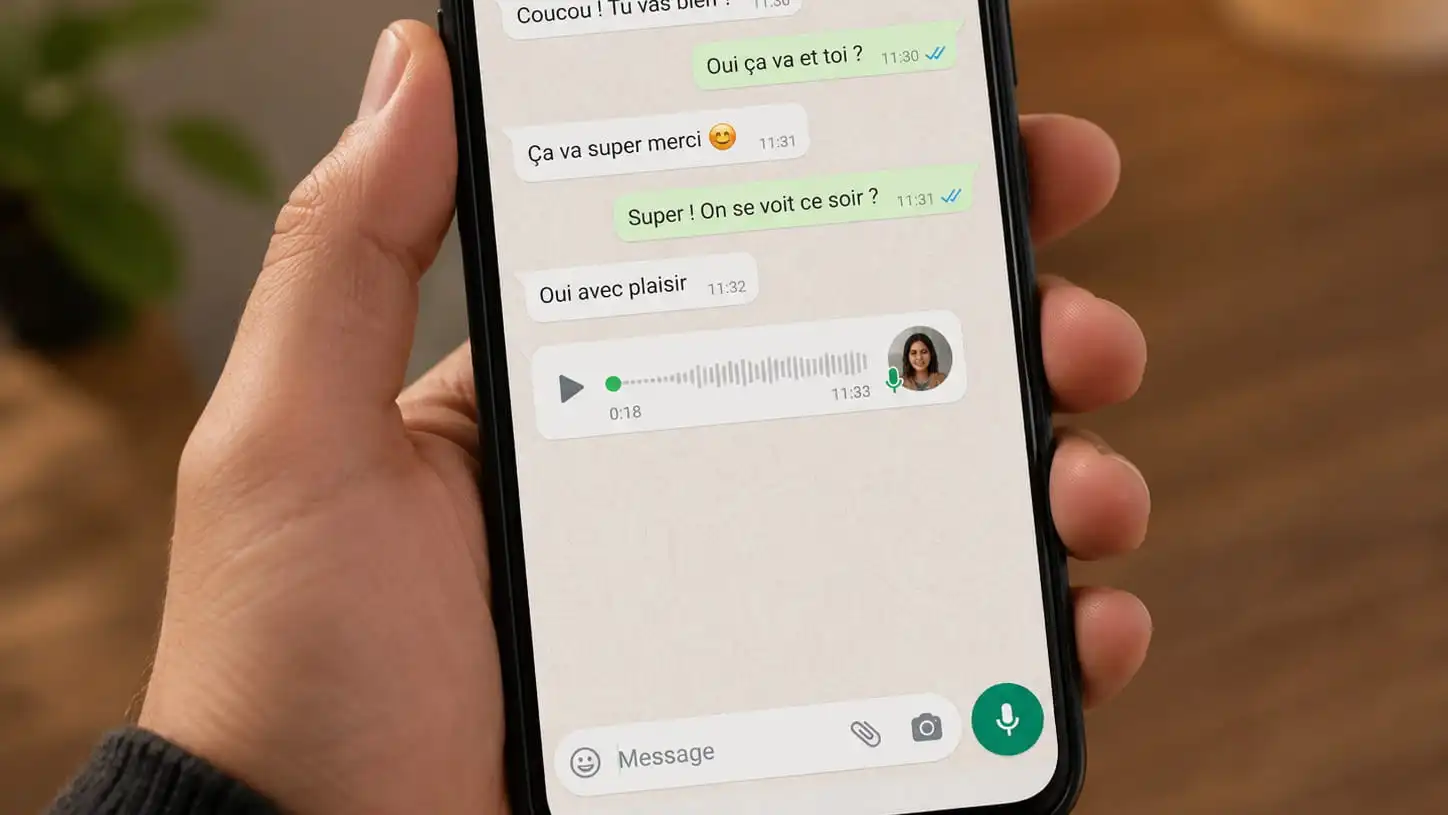
WhatsApp doesn't show an obvious "save" button for voice messages, but you can still download a WhatsApp voice message to your phone in just a few taps. Here is the step-by-step method, with screenshots, to save any audio message you received in a chat.
How to download a WhatsApp voice message in 5 steps
- Open WhatsApp on your phone.
- Open the chat that contains the voice message you want to download.
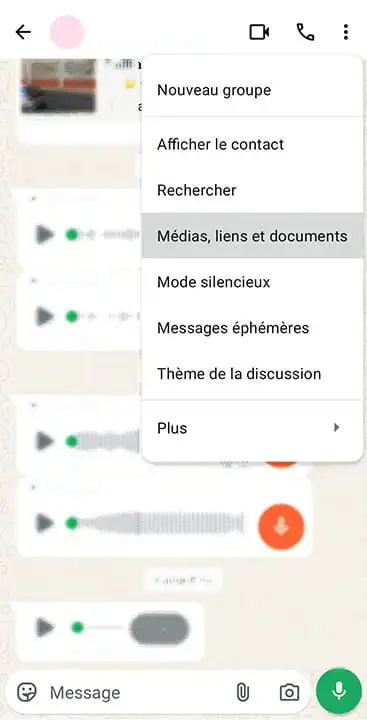
- Tap the three dots (⋮) in the top right, then "Media, links, and docs".
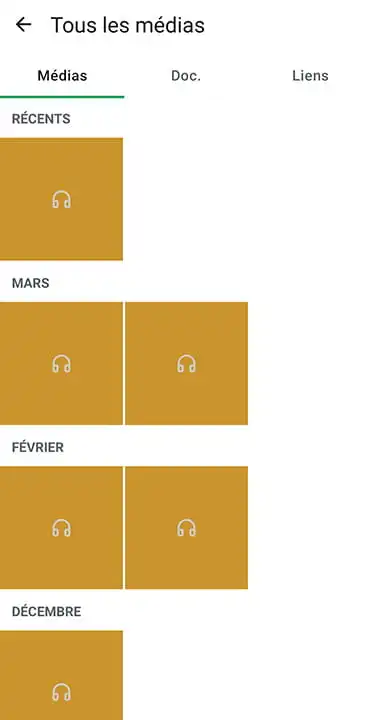
- Open the Media tab and find the audio file. The most recent one is usually right at the top of the list.
- The voice message starts playing automatically (that's normal, you can pause it). At the top of the screen, tap the download button (the downward arrow) to save the audio to your phone.
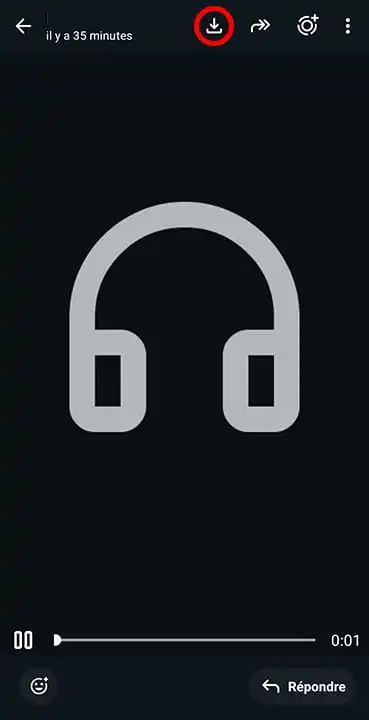
That's it: the voice message is now saved on your device.
Where is the downloaded voice message, and in what format?
Once downloaded, the voice note is stored in your phone's storage (often under WhatsApp Audio or the Downloads folder, and reachable from your files app).
WhatsApp voice messages are saved in the .opus format (sometimes converted to .m4a or .mp3 depending on the device). It's a lightweight audio format that most players and transcription tools read without any issue.
Turn the WhatsApp voice message into text
Once you have the file, you can convert it to text instead of replaying it over and over. Handy to keep a written record, find a piece of information quickly, or copy-paste the content of a long message.
Just drop the file on VocaText: the transcription is ready in seconds, free and with no sign-up. The .opus, .m4a and .mp3 files that come from WhatsApp are all supported.
What about iPhone?
The steps are almost identical on iPhone: open the chat, tap the contact name or the menu at the top, then "Media, links, and docs", open the audio file and use the share / save button to store it in Files or send it elsewhere.
FAQ
Can I download a WhatsApp voice message without a third-party app?
Yes. Everything is done inside WhatsApp, through the chat's "Media, links, and docs" tab. No extra app is needed.
What format is a WhatsApp voice message saved in?
Usually .opus, a compact audio format. It may appear as .m4a or .mp3 depending on the phone. All of these can be played and transcribed.
Where are downloaded WhatsApp voice messages stored?
In the phone's internal storage, most often in the WhatsApp Audio or Downloads folder, viewable from your file manager.
How do I transcribe a WhatsApp voice message to text?
Download the audio file as explained above, then drop it on VocaText to get the transcription in seconds, for free.